
How to Make AI Education Fun and Interactive
How to Make AI Education Fun and Interactive
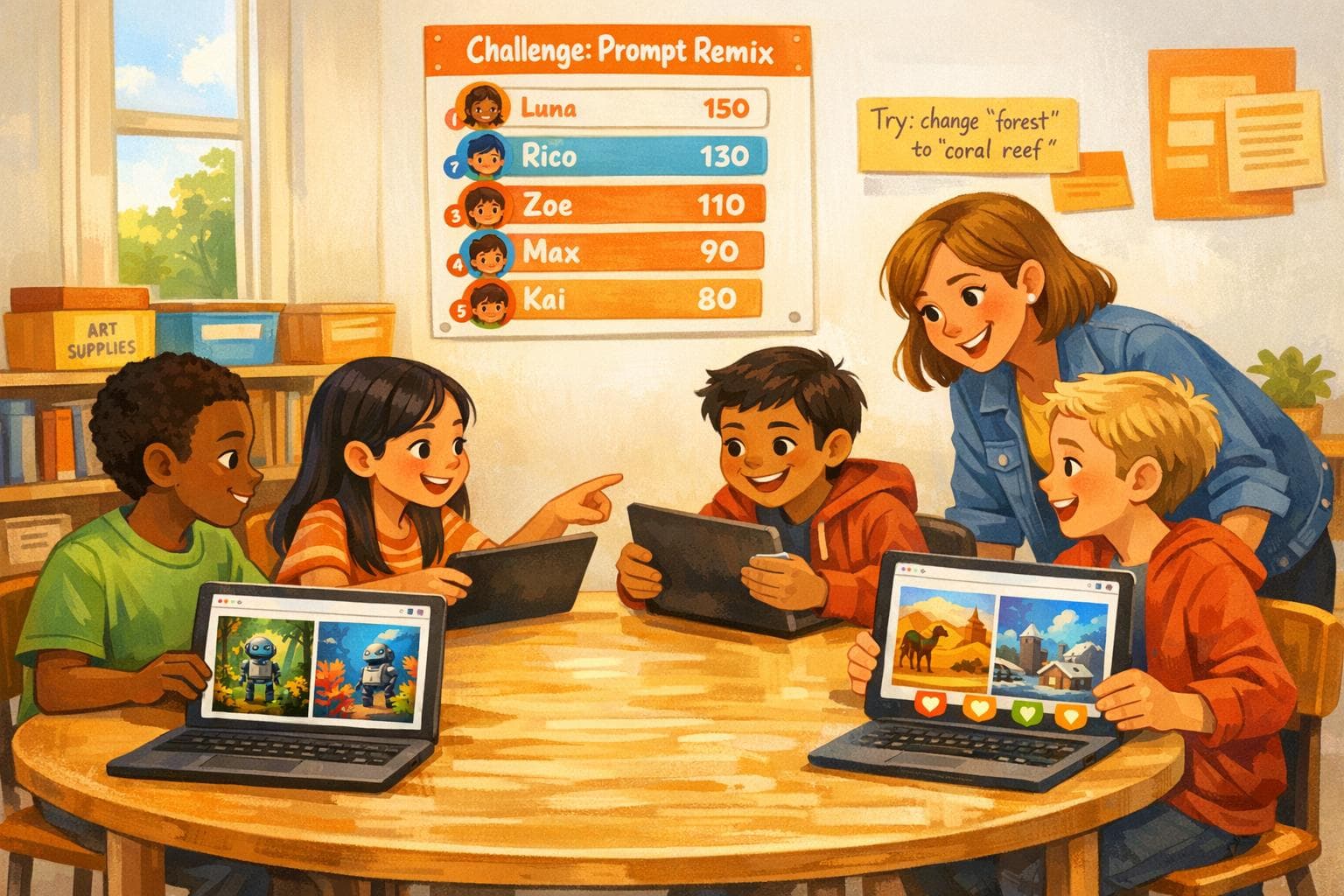
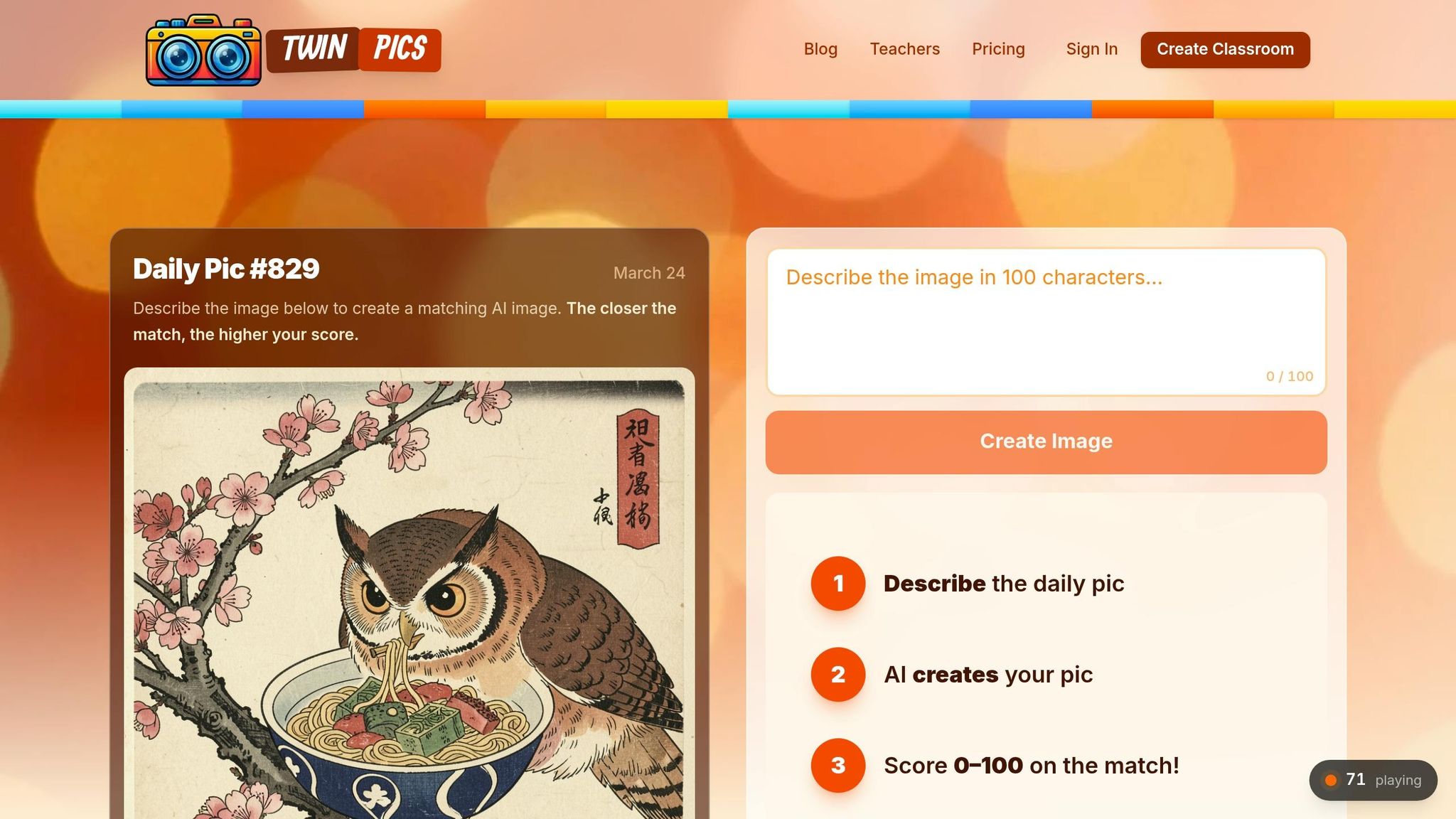
Teaching AI in classrooms doesn’t have to be intimidating or boring. Twin Pics is a simple, browser-based platform that introduces students to AI through daily challenges. Here’s why it works:
- Interactive Learning: Students recreate mystery images using 100-character text prompts, building precision and problem-solving skills.
- No Accounts Needed: Teachers can set up a classroom in under a minute with a join code - no emails or passwords required.
- Safe and Accessible: COPPA-compliant and works on any device, from Chromebooks to phones.
- Cross-Subject Use: Fits easily into English, art, science, and social studies lessons.
- Flexible Plans: Free version available; Pro plan ($59/year) adds progress tracking and detailed reports.
With over 37,000 players across 455 classrooms in 12 countries, Twin Pics makes AI education engaging while teaching critical thinking and responsible AI use.
AI Student Learning Activities with Prompts! (Interviews, Debates & More)
sbb-itb-97b6c2e
Why Interactive AI Activities Improve Learning
Traditional AI lectures often feel abstract and disconnected, but hands-on activities change the game. They immerse learners directly in technology, moving students from passive listeners to active participants. This approach transforms them into confident digital citizens who see AI not just as a concept but as a practical tool for exploration and responsible use.
Take interactive AI games, for example. They encourage critical thinking by allowing real-time experimentation. A great illustration of this is prompt engineering. When students tweak the details of a prompt, they naturally learn the art of precision and revision through trial and error. This process feels a lot like scientific inquiry: students hypothesize, test, and refine their inputs.
"AI can actually amplify the LifeReady skills we value most - critical thinking, problem-solving, and authentic creation."
– Ned Courtemanche, History Department Chair, McDonogh School
The learning deepens even further when students critically assess AI outputs. Instead of just checking if the results are correct, they dig into why AI produced a specific outcome. For instance, activities like comparing AI-generated historical images to primary sources or grading AI-written essays against a rubric help students sharpen their metacognitive skills. These exercises echo the principles of the Twin Pics approach, where hands-on, iterative challenges build the analytical abilities needed for navigating the digital world.
Engaging with AI as a debate partner or exploring how different prompts reveal biases also opens the door to discovery-based learning. This fosters ethical awareness, encouraging students to think about human-centered AI practices. Such ethical inquiries not only sharpen critical thinking but also fuel meaningful classroom discussions. Kevin Costa, Director of LifeReady at McDonogh School, sums it up perfectly:
"Our graduates won't be threatened by what AI does and will be able to do; they will be eager to co-create with emerging technology and language models to meet their goals."
Getting Started with Twin Pics in Your Classroom
Twin Pics Free vs Pro Plan Features Comparison
Getting Twin Pics up and running in your classroom is quick and hassle-free. Teachers can create a classroom on the platform in seconds and instantly get a unique join code to share with students. Best of all, there’s no need for IT approval or student accounts. Students simply enter the join code along with a nickname and can dive right into the daily AI challenge.
Twin Pics works on any browser-enabled device, whether it’s a Chromebook, tablet, laptop, or phone, and can be used both at school and home. The platform is fully COPPA and FERPA-compliant, ensuring no personal information is collected.
Already used in thousands of classrooms worldwide, Twin Pics fits seamlessly into various subjects like ELA, art, science, and social studies. It’s a flexible way to introduce AI literacy without overhauling your existing lesson plans. Here’s how you can get started in just a few steps.
Step-by-Step Setup Guide
Setting up your first Twin Pics classroom is a breeze. Just follow these three steps:
- Step 1: Go to the Twin Pics website and create a classroom to generate your unique join code.
- Step 2: Share the join code with your students by displaying it on your whiteboard or classroom management system.
- Step 3: Have students visit the Twin Pics website, enter the join code and their chosen nickname, and they’ll automatically join your classroom roster.
The platform’s Insights dashboard provides real-time updates, showing which students have joined and participated. This feature makes it easy to follow up with anyone who hasn’t logged in yet. Each day, students tackle a new mystery image, recreating it using AI prompts. With a 100-character limit, this activity challenges them to think carefully about how to phrase their prompts for the best results. The classroom leaderboard adds a fun, competitive element, sparking discussions about why specific prompts work better than others and how small wording tweaks can make a big difference.
Free vs. Pro Plans: Which is Right for You?
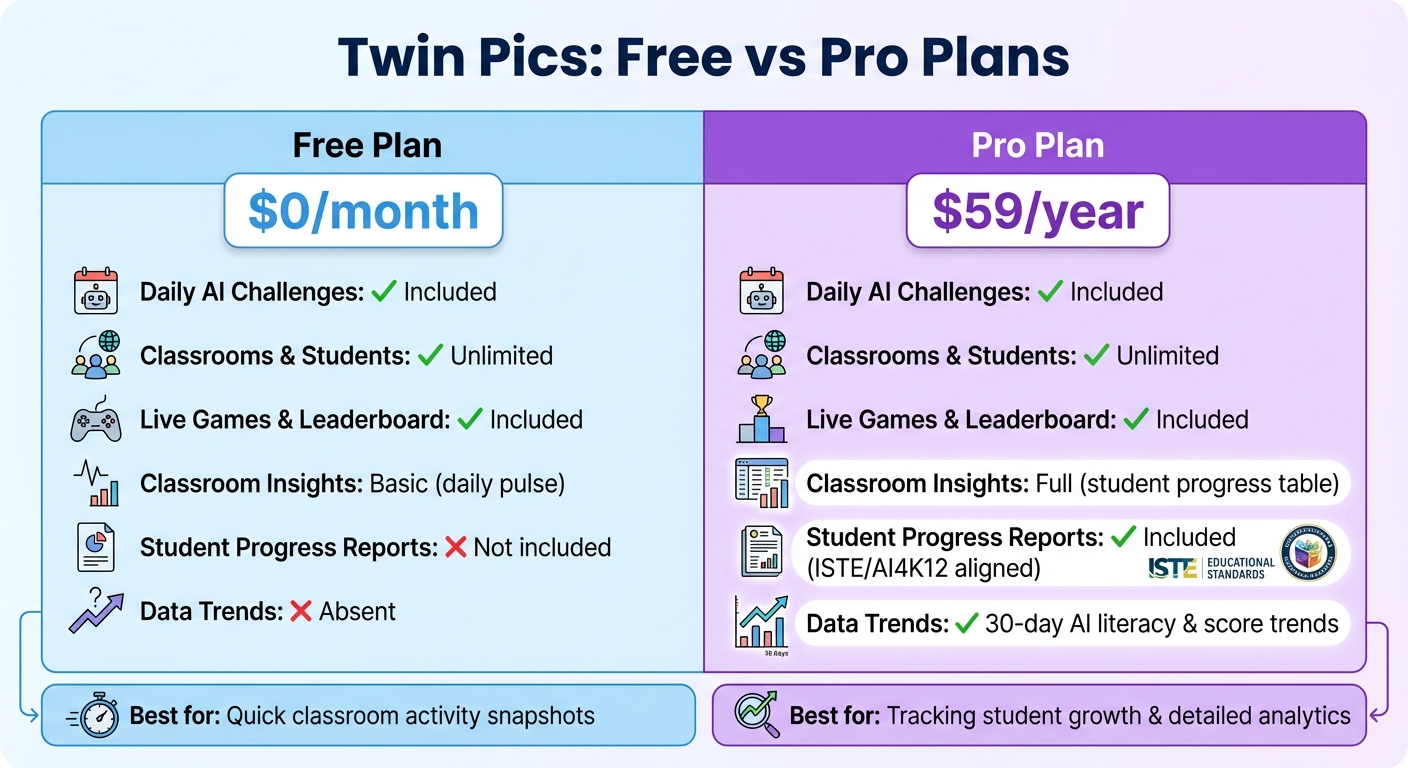
Twin Pics offers two plans to suit your needs: a Free plan and a Pro plan. The Free plan covers the basics for running daily challenges with unlimited students, while the Pro plan includes advanced features like progress tracking and alignment with ISTE Standards and the AI4K12 framework.
| Feature | Free Plan | Pro Plan |
|---|---|---|
| Price | $0/month | $59/year |
| Daily AI Challenges | Included | Included |
| Classrooms & Students | Unlimited | Unlimited |
| Live Games & Leaderboard | Included | Included |
| Classroom Insights | Basic (daily pulse) | Full (student progress table) |
| Student Progress Reports | Not included | Included (ISTE/AI4K12 aligned) |
| Data Trends | Absent | 30-day AI literacy & score trends |
The Free plan is perfect if you’re looking to get a quick snapshot of classroom activity without diving into detailed analytics. On the other hand, the Pro plan is ideal for those who want to track student growth over time or provide evidence of AI literacy progress to administrators or parents. At just $59 per year, it’s a small investment for access to detailed reports and 30-day trend analyses.
Interactive AI Lessons Using Twin Pics
Once your classroom is ready, dive into activities that make AI concepts engaging and hands-on. One standout activity is Twin Pics' challenge: students recreate a mystery image using precise, 100-character prompts. With over 2.8 million AI images generated across 455+ classrooms in 12 countries, this platform has shown how effective it is for teaching AI through practice.
Daily AI Image Generation Challenges
At the heart of Twin Pics is a simple yet impactful activity. Each day, students are presented with a mystery image and tasked with recreating it using a short, 100-character prompt. The character limit pushes them to focus on key visual elements, avoiding unnecessary details.
This activity works perfectly as a quick warm-up or a brain break. Students can experiment with multiple attempts to improve their similarity scores, discovering how small changes in wording lead to big differences in results. For instance, refining a prompt from "a dog in a park" to "a golden retriever sitting in a sunny park" can significantly boost the match percentage.
The classroom leaderboard encourages collaboration and discussion. Teachers can invite students with high scores to share their strategies or compare prompts side-by-side as a group. This fosters critical thinking and builds what Twin Pics refers to as "output evaluation skills" - the ability to assess whether the AI’s output aligns with the intended goal. These daily exercises create a solid base for applying AI concepts across various disciplines.
"Students practice giving AI clearer instructions. They learn that small wording changes can lead to very different results, which builds precision and revision habits."
- Twin Pics
If devices aren’t available for every student, try a group activity. Have students write prompts on paper and test them together. This collaborative approach emphasizes the trial-and-error process of working with AI, ensuring everyone stays engaged.
Cross-Subject Integration Ideas
The daily challenges in Twin Pics are incredibly adaptable, making them useful across different subjects. For example, they can enhance descriptive writing, help students explore artistic techniques, or even visualize scientific and historical concepts. These activities not only strengthen AI literacy skills like prompt engineering and output evaluation but also encourage responsible AI use. Twin Pics’ flexibility makes it easy to tailor the challenges to almost any subject while keeping the focus on practical AI skills.
Tracking Progress and Building Long-Term AI Literacy
Interactive challenges are a great start, but tracking progress is what really cements AI literacy. By offering real-time feedback, tools like Twin Pics make it easier for students and teachers to see growth in action. With its leaderboard and Insights dashboard, Twin Pics simplifies the process. Teachers can quickly check who’s completed the daily challenge and who might need a little nudge. The leaderboard’s 0–100 similarity scores give immediate feedback on prompt engineering, which is key to mastering AI literacy over time. These metrics directly shape daily lessons, helping educators provide timely feedback and refine students’ prompts.
The free plan gives a quick snapshot of classroom activity, showing participation levels and highlighting standout prompts. If you’re looking for deeper insights, the Pro plan offers advanced engagement tracking features.
What’s especially helpful is how Twin Pics uses this data to break down and analyze high-scoring prompts. For instance, students can compare why "a golden retriever sitting in a sunny park" creates a stronger image than "a dog in a park." This kind of comparison teaches the importance of specific, descriptive language.
To build long-term AI literacy, consistency is key. Try using Twin Pics as a quick 5-minute activity - like a "bell ringer" or "brain break" - to help students develop intuitive prompting skills without disrupting your main curriculum. The Insights dashboard also identifies students who might be disengaged or struggling with the 100-character prompt limit, giving you the chance to step in with support. This regular monitoring reinforces earlier lessons, helping students grow from casual participants into skilled AI evaluators. Over time, they’ll become better at judging how well AI outputs align with their original intent - a skill that’s valuable far beyond the classroom.
Twin Pics is also designed with privacy in mind. It doesn’t require student accounts, emails, or passwords, ensuring compliance with FERPA and COPPA while keeping the experience simple. Whether you’re teaching ELA, Art, Science, or Computer Science, the leaderboard offers clear evidence of growth in areas like descriptive writing, observation skills, and critical thinking about AI-generated content.
Conclusion: Empowering Students Through Fun AI Education
Teaching students about AI doesn’t have to feel like navigating a maze. Twin Pics shows that learning is most effective when it’s engaging, curiosity-driven, and, yes, fun. With over 37,000 players in 455+ classrooms across 12 countries and more than 2.8 million AI-generated images under its belt, the platform proves that even a simple daily challenge can help students develop real technical skills.
What makes Twin Pics shine is its simplicity and accessibility. By prioritizing privacy and eliminating technical hurdles, it ensures participation is easy on any device.
This interactive approach does more than just entertain - it equips students with key STEM skills and fosters digital citizenship. The platform’s progress tracking aligns with ISTE Standards and the AI4K12 "Five Big Ideas" framework, providing measurable growth in areas like prompt engineering, critical thinking, and evaluating AI outputs. Education consultant Sharon Hall sums it up perfectly:
"Teaching AI literacy means more than showing them how to write prompts - it means demystifying the technology and revealing underlying technology so students see that AI doesn't replace their creativity or agency".
Through quick, hands-on challenges, students not only grasp the basics of AI literacy but also build confidence in their ability to interact with this technology.
And with plans starting at $0 for the free version or $59 annually for Pro features, Twin Pics offers an affordable way to bring AI education into any classroom. Its flexible, five-minute daily challenges can easily serve as bell ringers, brain breaks, or activities for fast finishers - seamlessly fitting into your existing schedule without disrupting your core lessons.
FAQs
How do I explain prompt engineering to kids?
Prompt engineering is the art of crafting clear, detailed instructions to guide an AI system - think of it as programming, but with words. It's like giving precise directions to ensure the AI understands what you're asking for and delivers the best possible results.
You can think of it as asking questions or issuing commands in a way that's tailored to how the AI processes language. Even small tweaks in how you phrase something can lead to completely different outcomes, making this skill essential for anyone working with AI tools.
What should I do if students don’t have 1:1 devices?
If students don’t have access to individual devices, there are still plenty of ways to teach AI concepts effectively. You can encourage group work, use shared devices, or incorporate offline activities into your lessons.
For instance, students can participate in AI literacy games by using a classroom code and nicknames, which eliminates the need for individual accounts. Another option is to utilize shared screens for collaborative learning or try hands-on exercises like matching prompts to images or engaging in descriptive writing tasks. These approaches ensure activities remain interactive and inclusive for all students.
How can I assess AI literacy without grading prompts?
Assessing AI literacy involves looking at how well students understand the AI process and their ability to critically evaluate AI-generated outputs. A tool like Twin Pics provides a fun way to build these skills through interactive games. Students get hands-on practice with writing prompts, analyzing AI outputs, and discussing their accuracy and relevance. Watching these activities can give you valuable insights into their progress, all within a relaxed, no-pressure setting - no grades involved.