
Classroom AI Tools: 7 Ways to Boost Engagement
Classroom AI Tools: 7 Ways to Boost Engagement
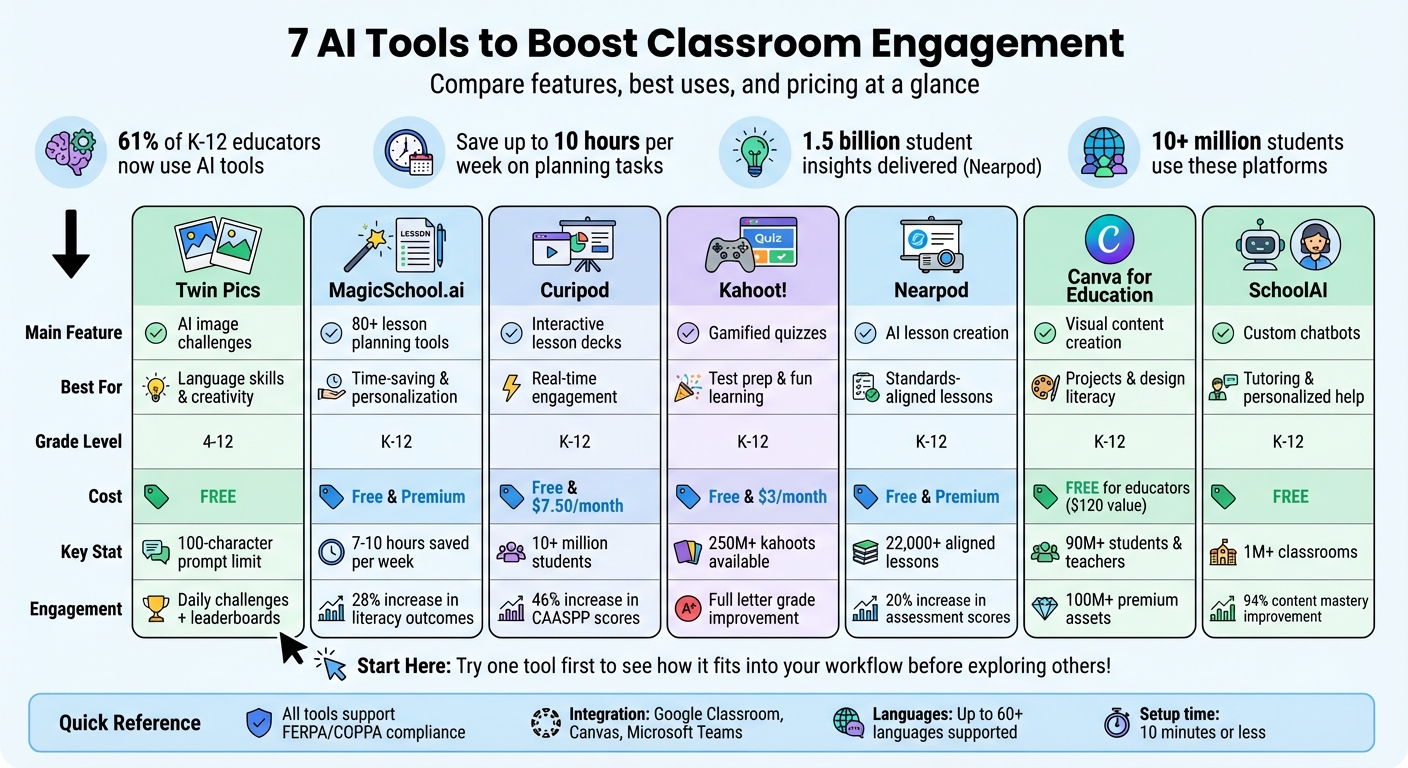
Teachers are increasingly turning to AI to make lessons more engaging and free up valuable time. With 61% of K-12 educators now using AI tools, these platforms can save up to 10 hours per week on planning and repetitive tasks. From generating lesson plans to interactive quizzes, these tools help teachers focus more on students and less on prep work.
Key Highlights:
- Twin Pics: Fun AI image challenges that teach precise language skills and encourage competition.
- MagicSchool.ai: Over 80 tools for lesson planning, assessments, and personalized student interactions.
- Curipod: Turns slides into interactive decks with polls, quizzes, and real-time feedback.
- Kahoot!: Gamified quizzes with AI-powered question generation, boosting test scores and engagement.
- Nearpod: AI-created lessons and activities tailored to state standards with gamified elements.
- Canva for Education: Free access to design tools for visual projects and interactive games.
- SchoolAI: Custom chatbots for personalized tutoring and creative learning experiences.
These tools not only simplify teaching but also improve classroom engagement by providing interactive, tailored learning experiences. Whether it’s creating quizzes, designing visual content, or offering real-time feedback, AI tools are helping teachers connect with their students more effectively.
Quick Comparison
| Tool | Main Feature | Best For | Cost (Free Plans Available) |
|---|---|---|---|
| Twin Pics | AI image challenges | Language skills, creativity | Free |
| MagicSchool.ai | Lesson planning, assessments | Time-saving, personalization | Free & Premium |
| Curipod | Interactive lesson decks | Real-time engagement | Free & $7.50/month |
| Kahoot! | Gamified quizzes | Test prep, fun learning | Free & $3/month |
| Nearpod | AI lesson creation | Standards-aligned lessons | Free & Premium |
| Canva | Visual content creation | Projects, design literacy | Free |
| SchoolAI | Custom chatbots | Tutoring, personalized help | Free |
Explore these tools to save time, improve lesson quality, and boost student participation. Start small - try one tool for a single lesson and see how it fits your teaching style.
7 AI Classroom Tools Comparison: Features, Best Uses, and Pricing
Beyond Worksheets: Using AI to Boost Engagement in World Language
sbb-itb-97b6c2e
1. Twin Pics Daily AI Image Challenges
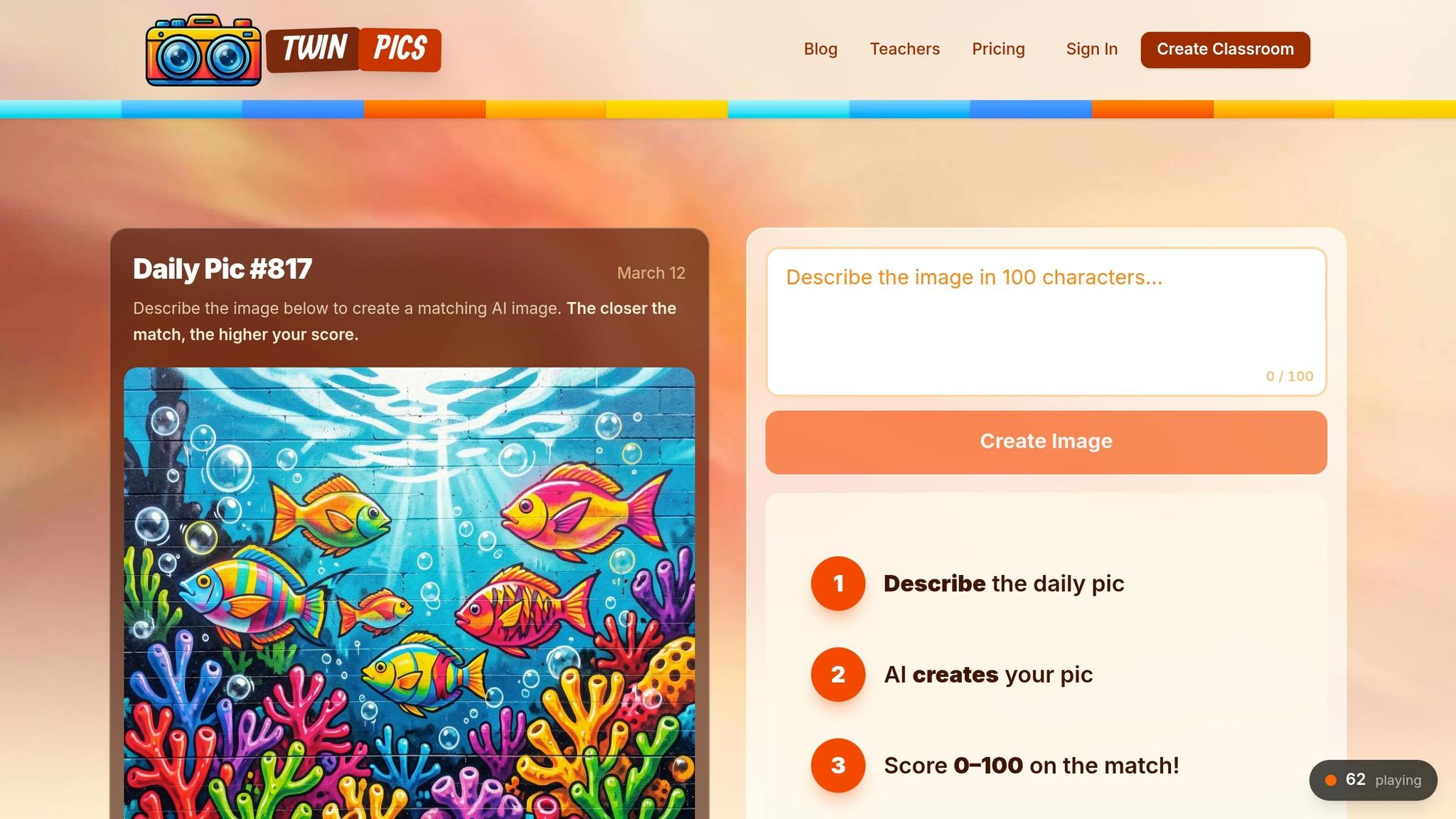
Twin Pics turns prompt engineering into a quick, engaging activity that requires no setup. Teachers can create a classroom with a unique join code, and students join using just a nickname. This web-based tool works on any device with internet access .
Simple Classroom Integration
Bringing Twin Pics into your lessons is easy. The platform limits prompts to 100 characters, keeping things concise. Students are shown a reference image and describe it in their own words. The AI then generates an image based on their description and assigns a similarity score between 0 and 100. New challenges appear daily, sometimes even more often. For classrooms without individual devices, teachers can collect prompts on paper, choose one at random, and project the results for a group activity.
Boosting Student Engagement
The instant scoring system encourages students to refine their language and improve their results. With both classroom and global leaderboards, students get competitive feedback that keeps them motivated.
"Instead of teaching prompt engineering theoretically, Twin Pics lets students experience the impact of precise language immediately." – Sakshi Dhingra
Encouraging AI Literacy and Creativity
According to surveys, 69% of teachers worldwide believe AI literacy is essential for students' futures, yet 40% say their schools aren’t prepared to teach it effectively. Twin Pics helps bridge this gap. The 100-character limit pushes students to focus on meaningful descriptors, avoiding unnecessary words. Teachers can use the platform to show how specific adjectives influence AI results, setting the stage for more advanced projects. Designed for grades 4–12, it offers free daily challenges and competitive leaderboards. By combining creativity with immediate feedback, Twin Pics supports active learning while saving teachers valuable time.
2. MagicSchool.ai Lesson Generation
MagicSchool.ai provides over 80 tools designed to create, edit, and export custom lesson plans, unit plans, and assessments in just seconds - all from a single Studio Mode. With these tools, teachers can build comprehensive lesson packages and export them directly to platforms like Google Docs, Google Classroom, Canvas, or Microsoft tools with just one click.
Ease of Classroom Integration
The platform's user-friendly interface fits seamlessly into classroom workflows, saving teachers an impressive 7–10 hours per week. Its Knowledge feature allows district leaders to upload curriculum documents and rubrics, ensuring all lessons align with district standards. Tools like MagicQuizzes further simplify lesson planning and formative assessment by generating immediate feedback and data summaries.
Support for Student Engagement
MagicSchool takes student engagement to the next level with interactive tools like a Character Chatbot, which lets students "interview" historical or literary figures, and a Song Generator for creating lesson-themed music. It also adapts content to match student interests and reading levels. The platform's Student Rooms feature, where students can interact with AI in a teacher-moderated environment, has seen usage grow by over 300% year-over-year.
Alignment with K-12 Curriculum
MagicSchool offers specialized tools for creating content aligned with educational standards, such as the 5E Model Lesson Plan for science and the Standards Unpacker for breaking down K-12 requirements. This focus on alignment not only makes lessons more efficient but also improves learning outcomes. For example, schools using MagicSchool reported a 28% increase in students meeting literacy grade-level expectations. Additionally, 88% of teachers say the platform helps them connect with every learner in their classrooms [20,23]. Supporting education in 48 languages and across 173 countries, MagicSchool is making a global impact.
"When I'm not racing the clock, I can actually listen more closely. I can conference with a student. I can notice when someone needs encouragement. That's the part of teaching you can't automate." – Michael Smith, 8th-grade English Teacher
3. Curipod Interactive Lesson Decks
Curipod transforms traditional slide presentations into engaging, interactive experiences where students participate in real time. By simply entering the topic, grade level, and objectives, the platform generates complete lesson decks in seconds. Currently, more than 10 million students use Curipod worldwide. Teachers can also enhance their existing materials - like PowerPoint, Keynote, or PDF files - through the Curify My Slides feature, which automatically adds interactive elements such as polls, word clouds, and drawing activities. This streamlined process makes it easy for educators to integrate Curipod into their classrooms.
Ease of Classroom Integration
Students can join lessons instantly via a web browser at curi.live using a PIN or QR code - no accounts required. The platform’s simple, user-friendly interface ensures teachers can navigate it with ease. For those short on time, Curipod offers pre-designed templates for activities like bell ringers, exit tickets, and brain breaks. Additionally, educators can explore the Discover library, filled with lessons created by other teachers, which can be used as-is or customized. The free plan allows unlimited participants but limits private presentations, while the premium plan costs $7.50 per month (billed annually at $90).
Support for Student Engagement
Curipod is designed to keep every student actively involved. After completing tasks like drawing or open-ended responses, students can view and vote on each other’s work, fostering collaboration and discussion. The platform also provides real-time AI feedback on writing and drawings, encouraging immediate reflection. Gamified features such as Vocabulary Hustle and Curi-Quiz add an extra layer of excitement, keeping students energized throughout the lesson.
"Their confidence grew with every slide, and for once, writing felt exciting - not stressful."
– Salo Donson, 5th Grade Dual Language Teacher
Alignment with K-12 Curriculum
Curipod makes it easy to align lessons with state standards like Common Core or STAAR. Teachers can input specific standards into the AI generator to create curriculum-based content in seconds. Schools using Curipod have reported impressive academic improvements, including a 46% increase in CAASPP scores in California, a 32% rise in STAAR scores in Texas, and a 35% boost in writing instruction effectiveness. The platform also offers AI literacy modules for grades 5–12 that align with ISTE and OECD guidelines, covering topics like prompt engineering, AI ethics, and bias detection.
"It allows me to create decks with content and activities that are standards-based in about a minute."
– Karyn Fillhart, Educational Technology Specialist
4. Kahoot! Gamified Quizzes
Kahoot! turns lessons into lively, competitive quizzes that captivate students. Teachers can create quizzes in seconds by simply entering a topic, pasting a website link, or uploading lesson materials like PDFs - no need to manually write questions. With a library of over 250 million kahoots and 1.9 billion user-generated questions, educators can instantly use pre-made content or tweak it to suit their needs. Thanks to the Microsoft Learning Zone integration on Copilot+ PCs, teachers can now generate curriculum-aligned quizzes directly from lesson goals in just minutes.
Ease of Classroom Integration
Kahoot!’s intuitive design makes it easy for teachers to integrate into their classrooms. The AI quiz generator can pull questions directly from curriculum files or even handwritten notes. Teachers can scan their handwritten lesson plans to create interactive quizzes instantly. These quizzes can be hosted live during class, assigned as self-paced homework, or embedded into platforms like Microsoft Teams and Google Classroom. While the free plan covers basic features, premium plans start at $3 per month (billed annually at $36), unlocking AI-powered creation tools for even more convenience.
Support for Student Engagement
Kahoot! has been shown to boost test scores by a full letter grade, according to platform data. Beyond traditional quizzes, the platform offers creative game modes like "Tallest Tower", "Robot Run", and "Super Kahootopia" to keep students engaged and encourage teamwork. For a more thoughtful approach, teachers can activate Accuracy Mode, which rewards precision over speed. The platform also supports a variety of question formats, including word clouds, open-ended prompts, and visual "drop pin" questions, catering to different learning styles and ensuring all students can participate.
"I use Kahoot as a fun and engaging way to help them get ready while also gathering useful data. For example, if 30 kids struggle with 'six times seven,' I can focus on that in the next lesson." – Simon Hunt, Primary School Teacher, Tottington Primary School
Alignment with K-12 Curriculum
Kahoot! isn’t just about fun - it’s designed to align with educational standards. The AI-powered quiz generator lets teachers create content tailored to specific curriculum guidelines, age groups, and trusted references. Educators can search for quizzes aligned with Common Core or state standards and customize them to suit their classroom needs. Real-time reports highlight which concepts students understand and where they need more help, enabling teachers to adjust their lessons immediately. Weekly users of the AI tools save an average of 5.9 hours, double the time saved by monthly users. Students can even create their own quizzes using the AI generator, encouraging critical thinking and better retention of information. This streamlined process keeps learning dynamic while reducing prep time.
"Imagine having a personal assistant that not only generates questions for you, but also tailors them to your specific topic and difficulty level... This is my time saver and this is my creativity booster!" – Joseph 'Gab' Educado, Elementary Teacher
5. Nearpod AI Lesson Creation
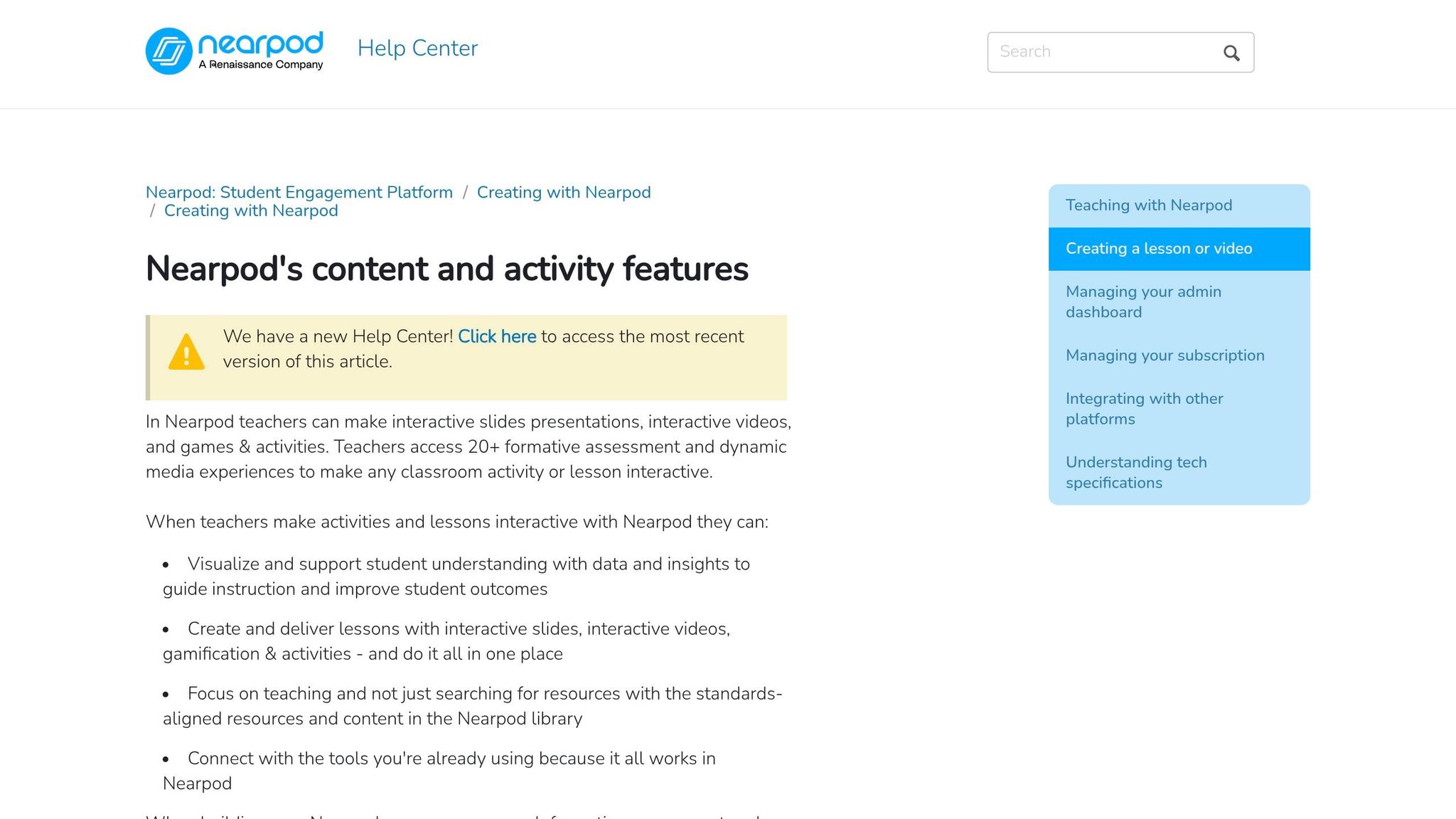
Nearpod's AI Create suite makes lesson planning incredibly fast. Teachers can input a topic, learning objective, or even a specific state standard - like "California math standard 7.EE.1" - and the AI generates a complete interactive lesson in moments. These lessons include activities, formative assessments, and gamified quizzes. The Lesson Generator organizes content into manageable sections with active learning activities sprinkled throughout, while the Question Generator creates multiple-choice questions perfect for quick classroom use, such as bell ringers or exit tickets. All content can be adjusted and reviewed by teachers to meet specific needs.
Ease of Classroom Integration
Teachers can seamlessly integrate AI-generated activities into PowerPoint or Google Slides presentations. For differentiated instruction, educators can adjust the complexity of content by specifying Lexile levels. For instance, they could request "photosynthesis for 8th graders at a 5th-grade reading level" to ensure the material is accessible to all learners. The Question Generator is available to all users, though free accounts have limited access, while premium users enjoy full functionality. The Lesson Generator, however, is exclusive to school or district license holders. This approach simplifies lesson prep, much like other AI tools that aim to save teachers time.
Support for Student Engagement
Nearpod takes traditional lessons and transforms them into dynamic, interactive experiences. Last year alone, Nearpod delivered 1.5 billion student insights, with 92% of teachers reporting improved engagement. One standout feature is its "Time to Climb" gamified quizzes, where students compete in a mountain-climbing challenge using avatars and point systems. These quizzes make review sessions more engaging and fun. Teachers can even customize prompts to reflect students' interests, like creating proportional reasoning problems with references to Taylor Swift. Research shows that just 10–15 minutes of targeted practice using these AI-generated activities can dramatically enhance retention.
"Honestly, I would not teach without Nearpod. It allows my classroom to have 100% engagement, for my students to have immediate feedback, and students to learn from each other." – Pam Emly, Teacher
Alignment with K-12 Curriculum
Nearpod’s design prioritizes both ease of use and curriculum alignment. Its AI is based on the principles of backwards design and Universal Design for Learning (UDL), ensuring that lessons meet K-12 standards. With a library of over 22,000 standards-aligned lessons, teachers can quickly find or create content tailored to their needs. By entering specific state standards, educators can ensure compliance with curriculum requirements. Additionally, real-time data helps pinpoint areas where students need extra support. Schools that consistently use Nearpod have reported a 20% increase in assessment scores.
"The result is an AI assistant that thinks like your most experienced teaching colleague and embodies the expertise of our curriculum designers." – Erika Tepler, Education Consultant
Promotes AI Literacy and Creativity
Nearpod also encourages students to develop AI literacy and creative thinking skills. Partnering with Common Sense Education, the platform offers AI-focused lessons for grades 6–12, covering topics like how AI works, ethical considerations, and responsible use. For example, "Fact-Check Friday" activities teach students to verify AI-generated information using trusted sources, fostering critical thinking. Creative activities, such as "Interactive Story Time", let students experiment with AI-generated plot twists in their narratives. Nearpod’s AI, powered by GPT-4o mini with proprietary safety measures, ensures student data is never used for training, prioritizing security and ethical use.
6. Canva for Education Visual Projects
Canva for Education takes interactive lessons to the next level with tools designed to make visual content creation engaging and accessible. From polished presentations to interactive games, the platform is a go-to for over 90 million students and teachers worldwide. Verified K–12 educators can access the platform for free, including premium features usually worth $120 per year [62,66]. Signing up is simple - teachers just need a school email or teaching certification to unlock over 100 million premium assets. Plus, Canva integrates with platforms like Google Classroom, Canvas, and Schoology, streamlining roster imports and assignment distribution.
Ease of Classroom Integration
Getting started with Canva is straightforward. Teachers invite students through email, shareable links, or by importing rosters. The platform meets FERPA and COPPA standards, ensuring student data stays protected. Canva’s AI-powered tools, like Magic Write and Magic Design, are game-changers. Magic Write helps generate lesson ideas from basic prompts, while Magic Design can create entire slide decks with structured outlines in seconds [63,66]. These tools free up time, allowing teachers to focus on engaging directly with their students.
Support for Student Engagement
One standout feature is Canva Code, which transforms text prompts into interactive games - no coding required. Teachers can create activities like vocabulary matching, fraction drag-and-drop exercises, or even choose-your-own-adventure stories [68,64]. Another tool, Magic Media, generates unique images from prompts (e.g., "a goat on a surfboard"), perfect for sparking creative writing in younger students. Real-time collaboration tools let students work together on digital whiteboards, share comments, and co-create projects [65,70].
"As an art educator, teaching my students how they can use Canva for graphic design has been a game changer! Student engagement remains high and they are excited to learn how to apply these design tools!" – Jane, Teacher at Creekside Intermediate School
These features naturally tie into curriculum-focused learning.
Alignment with K–12 Curriculum
Canva supports K–12 educators with a wealth of curriculum-aligned resources, including over 100 ready-to-teach lessons covering Math, Science, and English [62,63,66]. Teachers can quickly find materials that meet curriculum standards or use the accessibility checker to ensure designs accommodate students with visual impairments. Specialized lessons, developed in partnership with organizations like NASA and The New York Times, cover topics such as personal finance and sustainability [63,66]. With creativity ranked highly by 85% of hiring managers, these tools help students build essential visual literacy skills for their futures.
Promotes AI Literacy and Creativity
Canva also encourages students to develop AI literacy by refining prompts and experimenting with generative tools. For instance, students can analyze AI-generated historical images to identify inaccuracies, turning potential AI errors into valuable lessons on research and critical thinking. Teachers are encouraged to refine AI-generated activities through iterative design, sometimes requiring multiple attempts to align with specific learning goals. Canva further supports educators with free certifications like "AI in the Classroom" and "Teacher Essentials", equipping them to use these tools effectively and responsibly [72,64].
"Canva is a tremendous help for creating classroom ready materials that are engaging, timely and relevant to my students. All of the built-in tools make it a one-stop shop for all my needs." – Dan, Teacher at Southwestern Central School Districts
7. SchoolAI Custom Chatbots
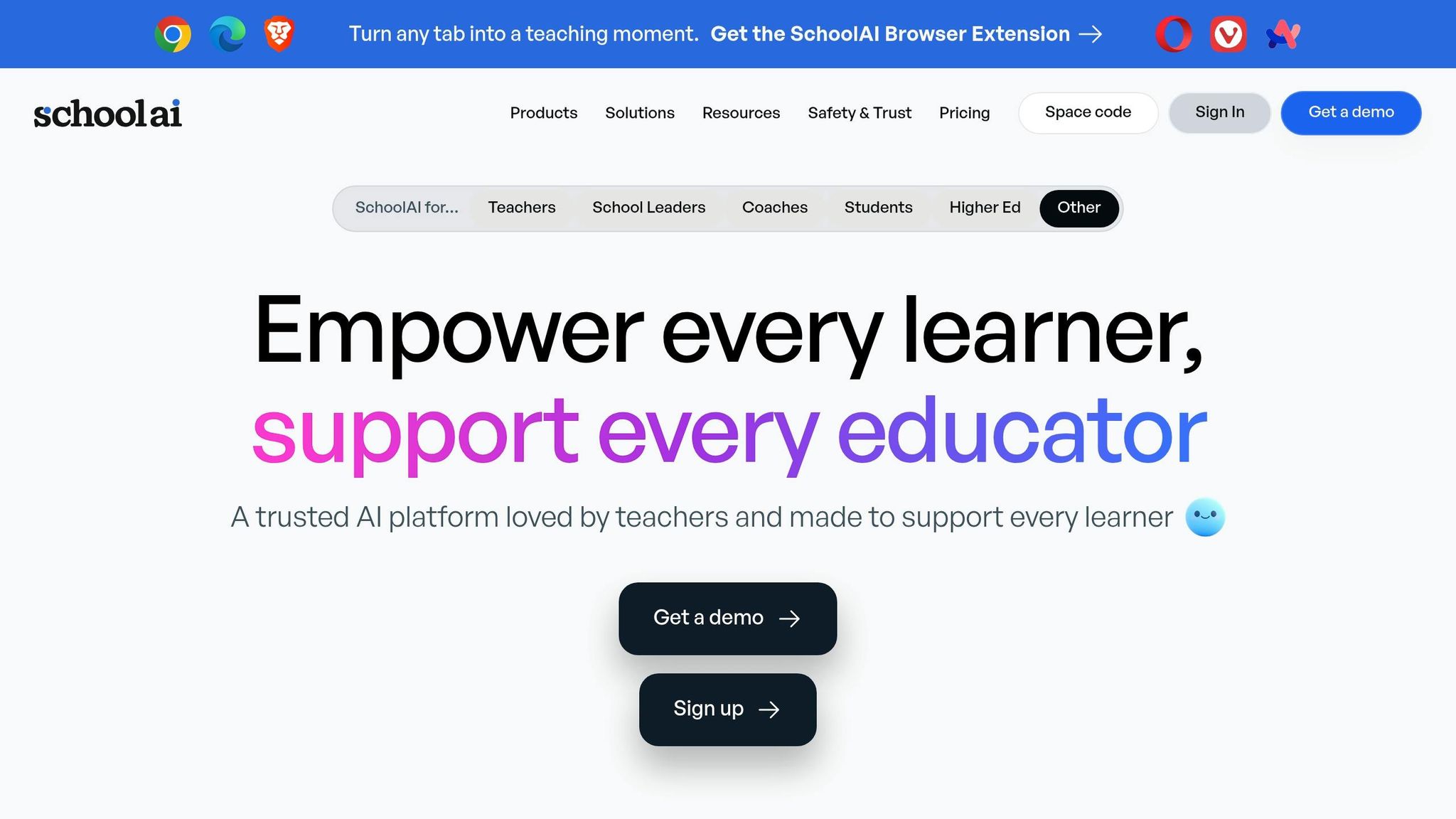
SchoolAI takes personalized learning to the next level with its custom chatbots, aptly named "Spaces." These AI-powered tools are now a part of over 1 million classrooms globally, providing free, tailored tutoring solutions for students and teachers alike. Teachers can set up a chatbot in under 10 minutes by exploring a library of more than 200,000 pre-made templates or modifying existing ones to suit their lesson plans. Integration is simple, whether through Google Classroom, QR codes, direct links, or even a Chrome extension that lets students access AI support directly within Google Docs.
Ease of Classroom Integration
With the "Mission Control" dashboard, teachers gain real-time insight into every student-AI interaction. This feature allows educators to step in and assist students who may be struggling, all while maintaining a secure and moderated environment. The platform also allows teachers to attach curriculum documents and specify academic standards. Importantly, SchoolAI adheres to FERPA and COPPA guidelines, with built-in moderation tools that flag sensitive content and safety concerns on the spot. This seamless setup makes it easier for teachers to foster meaningful, personalized learning experiences.
Support for Student Engagement
Students benefit from instant, customized feedback through interactive tools like AI-generated flashcards, text-to-speech features, and sketching options that cater to different learning styles. Historical persona chatbots add a creative twist, letting students "interview" figures like Abraham Lincoln or a 19th-century factory worker to gather material for essays. Teachers also report substantial time savings - up to 10 hours per week - on routine tasks such as lesson planning and grading.
"Small group instruction used to mean 20 kids doing busy work. Now they're getting personalized lessons while I target specific needs." – Mandy Shapiro, Teacher, Prosper ISD
Promotes AI Literacy and Creativity
The "Build-A-Chat Bot" activity shifts students from simply using AI to actually creating it. This hands-on approach enhances both digital literacy and creativity in the classroom. Students follow a four-step process - Role, Task, Instructions, and Guidelines - to design their own chatbots. They also learn to verify AI-generated information against primary sources, sharpening their critical thinking skills for today’s AI-driven world. At Gravette High School in Arkansas, teacher Sue Cluck observed that 94% of her students showed significant improvement in content mastery after using SchoolAI's Tutor Space. With support for over 60 languages, the platform is particularly useful for English Language Learners in diverse classrooms. This initiative not only enhances AI understanding but also empowers students to take charge of their educational journey.
Conclusion
AI tools are reshaping how students learn and how teachers manage their classrooms. The seven platforms highlighted in this article - from Twin Pics' engaging image challenges to SchoolAI's custom chatbots - showcase how AI can turn passive learning into active, student-centered experiences. These tools save teachers valuable time, allowing them to focus on meaningful interactions with their students. As Adriana Perusin, Co-Founder of Flip Education, explains:
"The goal was never to hand your classroom to an algorithm. It was always to get more time with the students sitting in front of you".
To get started, choose one tool that addresses a specific classroom need - whether it’s tailoring reading materials, designing interactive quizzes, or inspiring creative writing. Try it with a single lesson and see how it works before expanding its use. Be clear with students about when AI is there to support their learning versus when they need to think independently. And always double-check AI-generated content against reliable sources, as these tools can sometimes provide incorrect information.
When selecting tools, prioritize those that comply with FERPA and COPPA regulations to ensure student data is protected. Many platforms also offer free versions, making it easier to test their features without financial risk. As AI tools become more common in classrooms, they’re moving from experimental to essential.
The real power of these tools lies in how they enhance your teaching, not replace it. By managing repetitive tasks, AI gives you more time to focus on what matters most: connecting with your students, encouraging critical thinking, and creating memorable learning experiences. As you integrate these platforms into your teaching, adapt them to suit your unique style and your students’ needs. With AI handling the busywork, you can dedicate your energy to building relationships and fostering a dynamic, engaging classroom environment.
FAQs
Which tool should I try first?
Twin Pics is a great starting point. It provides fun, interactive AI activities that are perfect for the classroom. With this tool, students can learn how to craft detailed prompts and generate images in a hands-on way. It’s designed to keep learning engaging while being simple to incorporate into your lessons.
How do I protect student data with AI tools?
To keep student data safe when using AI tools, it's important to stick to school policies and follow best practices. Start by ensuring that any tools you use, like Twin Pics, have clear and open data privacy policies. Take time to evaluate how these tools handle data - how they collect, store, and use it. Establish and enforce strict guidelines around these processes.
It's also a good idea to regularly review and update your policies to keep up with changes in technology. By taking these steps, you can protect student information while using AI tools in engaging and responsible ways in the classroom.
How do I check AI-generated content for accuracy?
To keep AI-generated content accurate, it's essential to double-check it against multiple reliable sources. AI tools can be helpful, but they have their limits. Always cross-reference the information with trusted references and apply critical thinking to assess its accuracy before using it in a classroom setting. This ensures the content you share is both dependable and trustworthy.